

The Best App Alternatives to TeachMeAnatomy in 2026

Share:

Copy link

Share via Telegram

Share on Facebook

Share on LinkedIn

Share via WhatsApp

Share on X

Share via Email
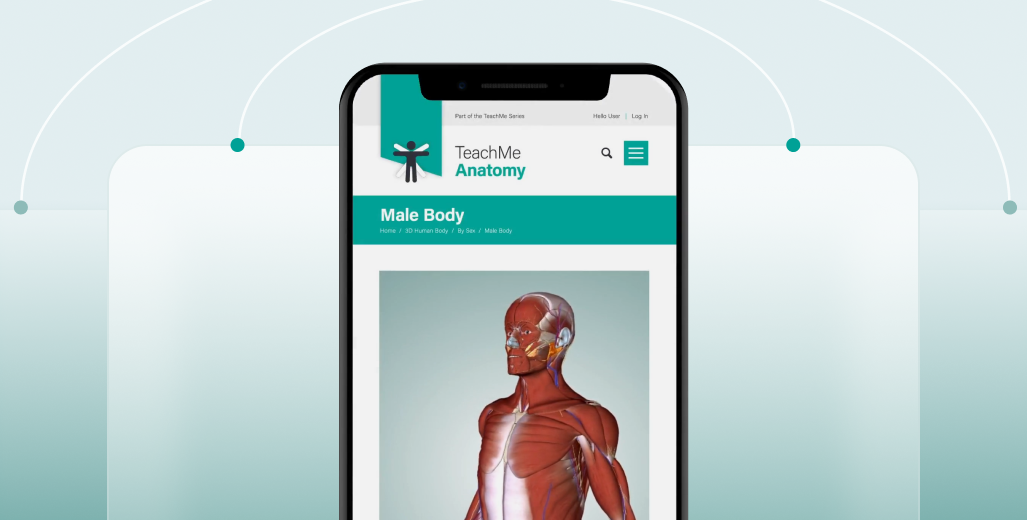
Choosing the right anatomy learning app matters, especially when tools like TeachMeAnatomy have become a standard in medical education. Students and healthcare professionals (HCPs) increasingly rely on digital anatomy platforms to understand structures and spatial relationships.
Based on our practical experience with 3D anatomy visualization, the VOKA team reviewed and compared widely used anatomy apps to identify strong alternatives to TeachMeAnatomy in 2026.
This article is an expert comparison of anatomy learning apps designed for medical students, nursing students, and healthcare professionals. It focuses on how different tools support visual learning, knowledge retention, and practical understanding of human anatomy.
How we selected the apps
When selecting the top anatomy apps like TeachMeAnatomy, we considered several critical factors:
1
Easy to use
First off, the app has to be a breeze to use. Nobody wants to struggle with a clunky app, right? We're talking smooth sailing, easy to find what you need, and it has to work like a dream on your phone, tablet, whatever you have.
2
Killer visuals
Let's be real, anatomy's all about the visuals. We made sure these apps have awesome and medically accurate 3D graphics so you can really get inside and explore the body. It's a lot more fun than staring at a textbook.
3
Smart content
Whether you're just starting out or you're a total anatomy wizard, we wanted apps with content for everyone. We're talking in-depth info that'll satisfy your inner nerd.
4
Interactive fun
Learning should be enjoyable, right? So we looked for apps that have quizzes, virtual dissections, and other cool stuff to keep you engaged. Think of it like a game, but for your brain!
5
Price and feedback
Of course, we kept an eye on the price tag. We wanted to make sure there's something for every budget. And we definitely paid attention to what other users had to say, 'cause their feedback matters!
Detailed reviews of similar apps
1. VOKA 3D Anatomy & Pathology
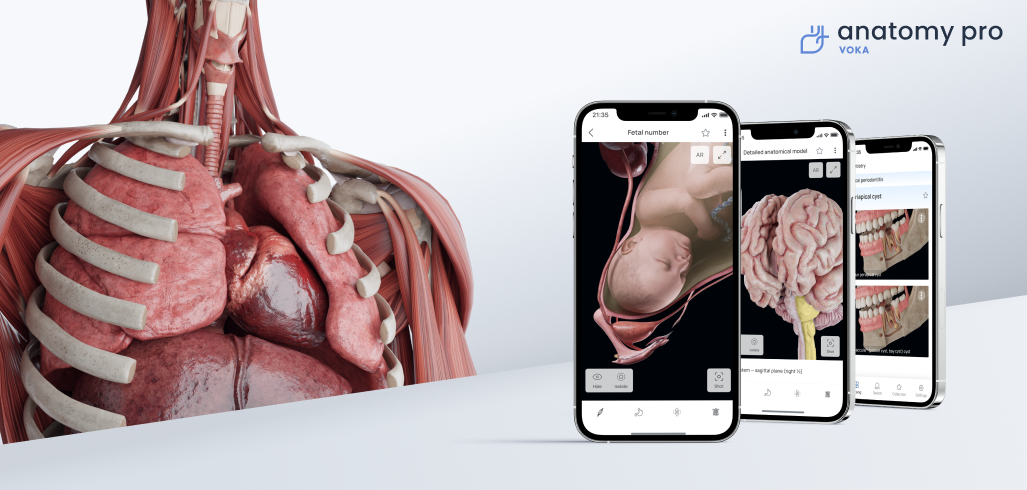
VOKA 3D Anatomy & Pathology is a high-end 3D atlas that takes anatomy and pathology visualization to the next level. Developed with leading healthcare professionals, it’s built to support both learning and clinical practice. The app includes 1000+ detailed 3D models, spanning regional and systemic anatomy, microanatomy, embryology, and biomechanics, along with 19+ categories of gross pathology (with new ones on their way). You can explore male and female anatomy in rich detail, making it a powerful tool for students and professionals alike.
With intuitive tools that allow you to rotate, zoom, and adjust models from any angle, it’s perfect for a hands-on, interactive learning experience, whether you’re using a mobile device or the web. It’s a powerful, easy-to-use resource for anyone diving into the world of anatomy!
Core features
Extensive library of 3D models
Explore over 1000 high-resolution 3D models. The library spans both male and female bodies, offering exceptional clarity and depth for every learning scenario.AR mode
Bring anatomy into your real-world space. AR mode lets you visualize and study 3D models as if they were right in front of you — ideal for immersive learning and classroom demonstrations.Interactive tools
Use the 3D and 2D pens to highlight specific areas, add notes or images, and create your own learning materials directly on the model. You can also perform virtual dissections for deeper exploration. Plus, pop-up labels display anatomical structures in Latin and a language of your choice, making it easy to study in your preferred terminology.Educational content
Access a growing collection of expert-written articles directly within the app to complement your visual learning with clinical context and theory.In addition, the standalone resource VOKA Wiki provides an even broader library of materials authored by practicing medical professionals, along with interactive quizzes for self-assessment.
Anonymous login-free access
You can explore the app without signing up. With anonymous access, you'll get a preview of the platform’s core features and content, perfect for quick reference or casual browsing.Pros
Cons
Pricing
Ratings
User experience insights
Using VOKA 3D Anatomy & Pathology is smooth and super engaging. With over 1000 3D models, it lets you explore anatomy from every angle. You can easily rotate, zoom, and isolate parts of the body, making it feel almost like you're working with real models. Plus, the AR mode takes things up a notch by letting you bring these models into your real space. It's really intuitive, whether you're on your phone or desktop, and the mix of visual models and medical articles gives you a solid learning experience.
Check out the video below to learn more about it!
Check it out: https://catalog.voka.io
2. Anatomy Learning - 3D Anatomy
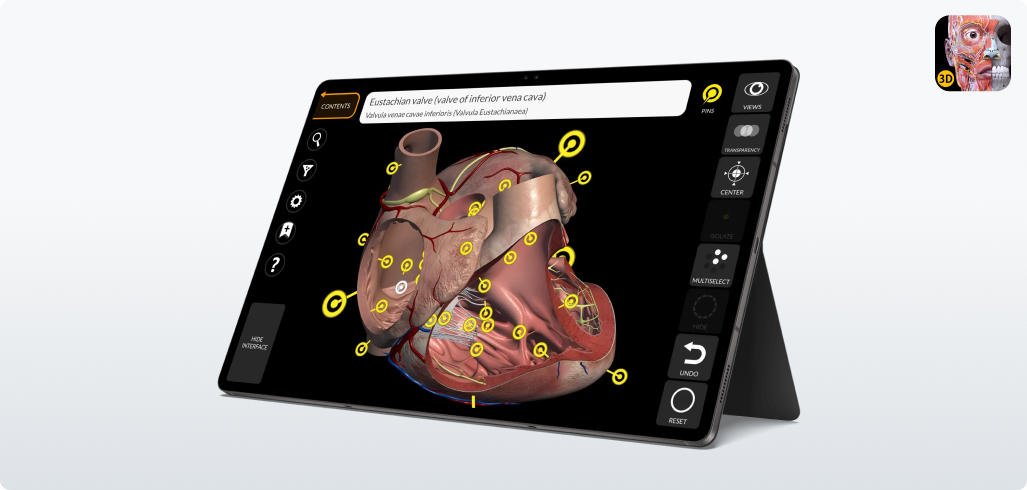
AnatomyLearning – 3D Anatomy makes studying human anatomy way more interesting with its highly interactive 3D models of both male and female bodies. You can explore over 6,000 detailed anatomical structures in real time and easily navigate through different layers with ease. It also offers 500+ animations that show muscle movements to help you really grasp how the body works.
To take your learning to a next level, the app includes 1,000 quizzes that challenge your anatomy knowledge and improve memory retention. Whether you're a student or a professional, this app covers all the bases to make anatomy more interactive and fun.
Core features
3D models
Over 6,000 anatomical structures designed by physicians for exploring the human body in real-time.Interactive tools
Rotate, zoom, add, or remove anatomical structures to visualize detailed anatomy.Quizzes
1,000+ quizzes to test knowledge and enhance learning.Multilingual
Available in multiple languages, including English, Spanish, and Chinese.Cross-platform
Accessible on Android, iOS, and web, with offline options for easy access.Medical expertise
Developed using International Anatomical Terminology for accuracyPros
Cons
Pricing
Ratings
User experience insights
AnatomyLearning 3D Atlas is a great way to learn anatomy, with over 6,000+ 3D models. You can easily zoom, rotate, and explore every layer of the body. Plus, the 500 muscle animations really help bring movement and function to life.
For added fun, the app includes over 1,000 quizzes to test and boost your anatomy knowledge. It’s available in multiple languages and works offline, which makes it perfect for studying on the go.
Check out the video below to see it in action: Anatomy 3D Atlas App Tutorial
3. Essential Anatomy 5
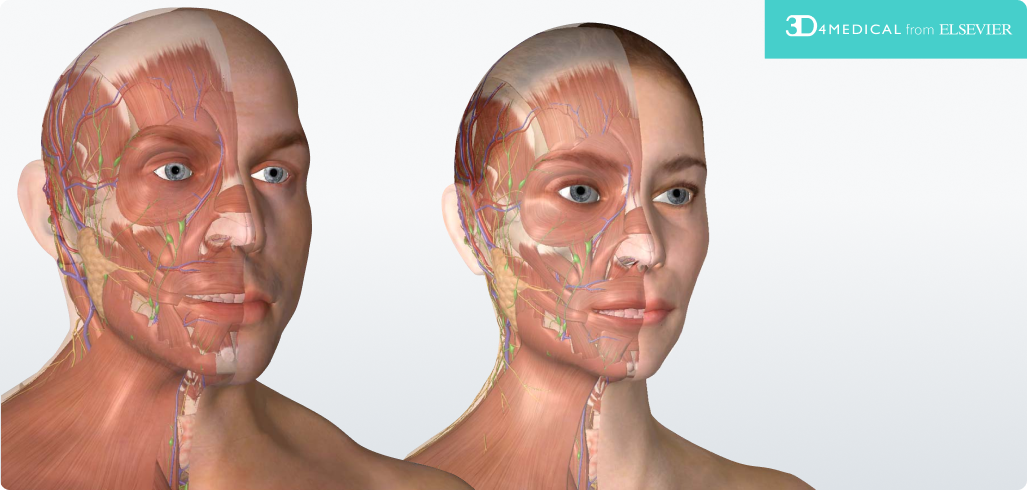
Essential Anatomy 5 is a very user-friendly app that gives you detailed 3D models of the human body, making it perfect for both students and healthcare professionals. It covers all the major systems — skeletal, muscular, nervous, and circulatory—while offering an intuitive interface that lets you explore the body interactively.
Though it's a bit less advanced than its follow-up, Complete Anatomy, it's still a go-to for many because of its simplicity, sharp visuals, and smooth navigation. If you’re looking for a solid base to start your anatomy learning, Essential Anatomy 5 will definitely get the job done!
Core features
Comprehensive coverage
Includes 11 body systems with over 8,200 anatomical structures for both male and female models.Interactive 3D models
Users can rotate, zoom, and isolate structures to view them from any angle. It also allows for muscle layering and detailed exploration of complex areas like the brain and heart.Notes and quizzes
Features include note-taking and quizzes to reinforce learning, making it an excellent tool for students.High-resolution graphics
Lifelike visuals provide an immersive learning experience for healthcare professionals and students alike.Cross-platform compatibility
Available on both iOS and Android, with additional in-app purchases for specific systemsPros
Cons
Pricing
Ratings
User experience insights
Essential Anatomy 5 is simple, straightforward, and easy to navigate. With over 8,200 3D models, it covers all the key body systems and lets you zoom, rotate, and explore with ease. It’s perfect for students and healthcare pros looking for a reliable, no-fuss anatomy app.
While it’s not as advanced as newer apps, the clear visuals and easy-to-use tools make it a solid choice for building a strong anatomy foundation. Plus, the built-in quizzes and note-taking help reinforce what you learn.
Check out the video overview below: Getting Started with Essential Anatomy 5
4. Human Anatomy Atlas 2026
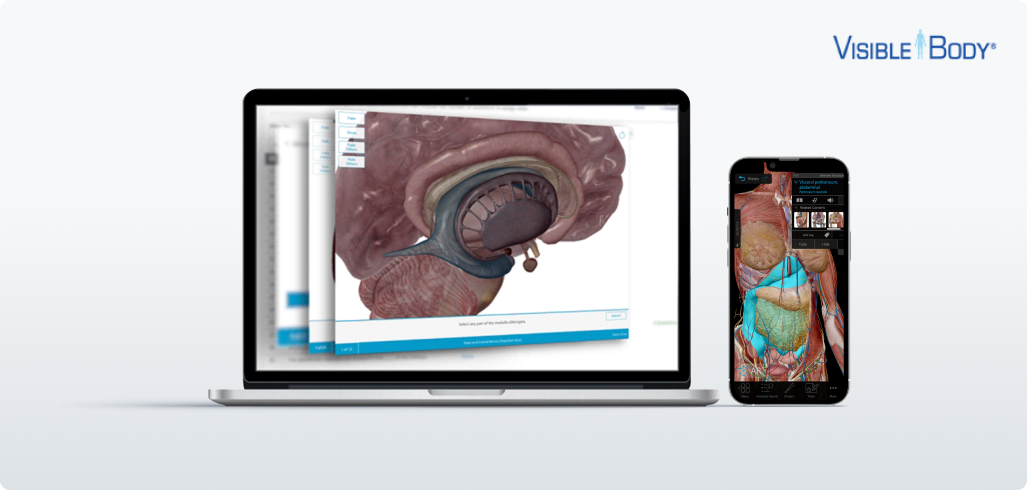
This app gives you interactive 3D models of both male and female anatomy, making it a great resource for students, educators, and healthcare professionals. Beyond the awesome visuals, it steps up your learning with a video library focused on patient education, which helps explain complex concepts in a way that’s easier to understand.
One standout feature is its specialized 3D Dental Anatomy model, perfect for dental students and professionals wanting to dive deep into the details of dental structures. This extra focus makes the app super versatile, and a great tool for anyone in any medical field.
Core features
3D models
Over 6,000 detailed anatomical structures for male and female bodies.Interactive tools
Rotate, zoom, and dissect models for in-depth study.Animations
Explains physiology and common pathologies like coronary disease.Cross-platform
Available on mobile and web with seamless access.Additional tools
Flashcards, histology slides, and patient education contentPros
Cons
Pricing
Reviews
User experience insights
This app offers highly detailed 3D anatomy models for both male and female bodies, a must-have for students and healthcare professionals. It's not just great visuals, either. It's got a handy video library that makes complex concepts easier to understand, especially when it comes to patient education.
While it’s not as advanced as newer apps, the clear visuals and easy-to-use tools make it a solid choice for building a strong anatomy foundation. Plus, the built-in quizzes and note-taking help reinforce what you learn.
Check out the video overview below: Human Anatomy Atlas 2024 | A comprehensive 3D atlas of the human body
Key features to look for in anatomy apps
Interactive elements
The best anatomy apps let you get hands-on with 3D models, so you can zoom, rotate, and even dissect them to explore different body structures. You can add or remove layers—like muscles, bones, or organs—and the apps usually come with interactive quizzes to keep things engaging. Plus, you get to see cross-sections or even run real-time simulations of procedures, which makes the learning experience way more dynamic and fun.
Comprehensive content
A solid anatomy app should cover all the key systems—like skeletal, muscular, circulatory, and nervous—and more. You’ll want one that includes both normal and pathological anatomy for a well-rounded learning experience. Some apps go the extra mile with detailed extras, like ligaments, nerve pathways, and blood vessels. On top of that, they might throw in multimedia like videos, quizzes, and text explanations to really boost your understanding. It’s all about keeping the learning engaging and interactive!
Usability and accessibility
Usability is key to a great learning experience. The best apps have an intuitive interface with smooth navigation, simple search options, and easy-to-use tools that work for both newbies and pros. Features like compatibility across multiple devices (phones, tablets, desktops), support for several languages, and offline access make these apps incredibly versatile, whether you’re online or off.
To save you time, we’ve put all the essential info about these apps into one handy table. Compare features, interactivity, and visualization options to find the right fit for you.
Our recommendations
The best anatomy app depends on your role and learning needs — whether you’re a student, educator, or healthcare professional. Here’s a clear breakdown of the top options:
VOKA 3D Anatomy Atlas
-
Best for: Advanced students and professionals who need detailed, anatomically accurate models.
-
Highlights: Covers both normal and pathological anatomy, includes AR mode, and supports multiple platforms.
AnatomyLearning 3D Atlas
-
Best for: Budget-conscious learners who want interactive quizzes.
-
Highlights: 1,000+ quizzes, free version available, accessible for casual or structured study.
Essential Anatomy 5
-
Best for: Beginners or those seeking a simple, easy-to-navigate app.
-
Highlights: Covers 8,200+ structures across major body systems, intuitive interface.
Human Anatomy Atlas 2026
-
Best for: Educators and professionals needing specialized content, including dental anatomy.
-
Highlights: 3D Dental Anatomy models, patient education animations, immersive learning tools.
Choose the app that aligns with your level, study goals, and device setup. Whether you want detailed professional models, interactive quizzes, or simple navigation, there’s an app to fit your needs.

Share
Thank you for your comment!
Your comment has been submitted for moderation and will be published soon. We'll email you once it’s live.